

Tokens
Tokens in Design
Our token system is built on a semantic architecture that ensures uniformity, scalability, and consistency across products. As a designer, you don’t need to do anything to start working with them; just plug the core library into the file.
Tokens architecture
The architecture consists of three levels:
→
→

Foundation abstract tokens
Product semantic tokens
Product usage
Foundation Library
All tokens used in products reference a single foundation library that contains:
Colors
Typography
Spacing
Sizes, Radii etc.
Foundation tokens impact
Changes to the foundation affect the entire ecosystem, but through semantic connections and product cores, you can adapt the visual style without breaking interfaces. Only the DS-Team is responsible for changes to foundation entities.
Learn more about architecture
Check related libraries in Figma:
Foundation tokens
Storage of color semantic & typography
Explore
Components
Headless components which lays at the basis of product components
Explore

Common assets
Icons, illustrations & other assets
Explore
Semantic tokens
Semantic tokens are created to denote the function or role of a visual element. This provides a necessary level of isolation from specific foundation values and simplifies support.
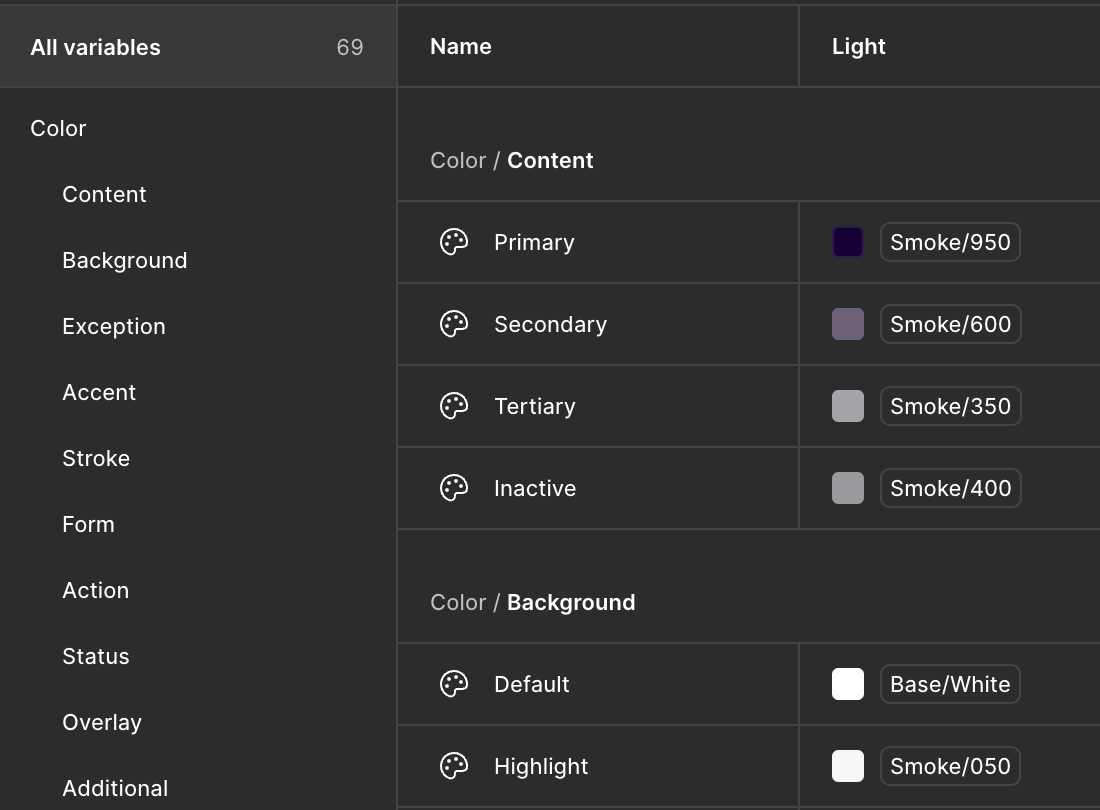
An example of semantic tokens is Smoke/950, which is taken from the Foundation via an alias. ContentPrimary serves as a product semantic token.
Important! It is mandatory to use tokens only - no raw values (#1A73E8, 16px, 8) are allowed in code or design. We use parcing tools to update tokens and deliver them to the product code base. Raw HEX are not allowed in product production!
How it works in code
Each platform and product, such as UG, MU, AU, etc., creates its own semantic layers, but they are all linked to the same foundational base. You can find semantics if the library is connected to the design file. Check the available libraries and connect them to use the DS.

Ultimate Guitar

MuseScore

MuseScore Studio

Audio.com


Audacity


MuseClass

HalLeonard
Tokens Exchange
Both sides - designers and developers - use the same tokens:
In design (Figma) - via tokenized styles
In code (React, iOS, Android, Web) - via SDK or tokenized exports

* Design side
* Product code side
We use specialized tools to provide a fast and efficient exchange process. Icon tokens, colors, typography, and others are transformed using the appropriate automated tools.
Read more about toolset