

Accessibility
Our accessibility strategy is to create barrier-free digital products, ensuring they can be used by people with disabilities. This includes around 15 million Americans with vision impairments (and about 25 million in Europe), as well as about 35 million people with cognitive disabilities (another ~30 million in Europe). For us, accessibility is not just about meeting compliance requirements, it also represents a significant market opportunity.We need to develop a unified approach to product releases at Muse, where accessibility becomes an integral part of the process. The general principles described in this section should turn into baseline, non-negotiable commitments. Success will come if every specialist contributing to product accessibility takes ownership of their role.
Designer
Color contrast, iconography and responsive designs

Developer
Semantic integrity, proper focus states, and meaningful contextual values

Product
Awareness, accessibility audits, public statement, and relevant processes

Writer
Clarity, readability, and proper content structure

Types of disabilities
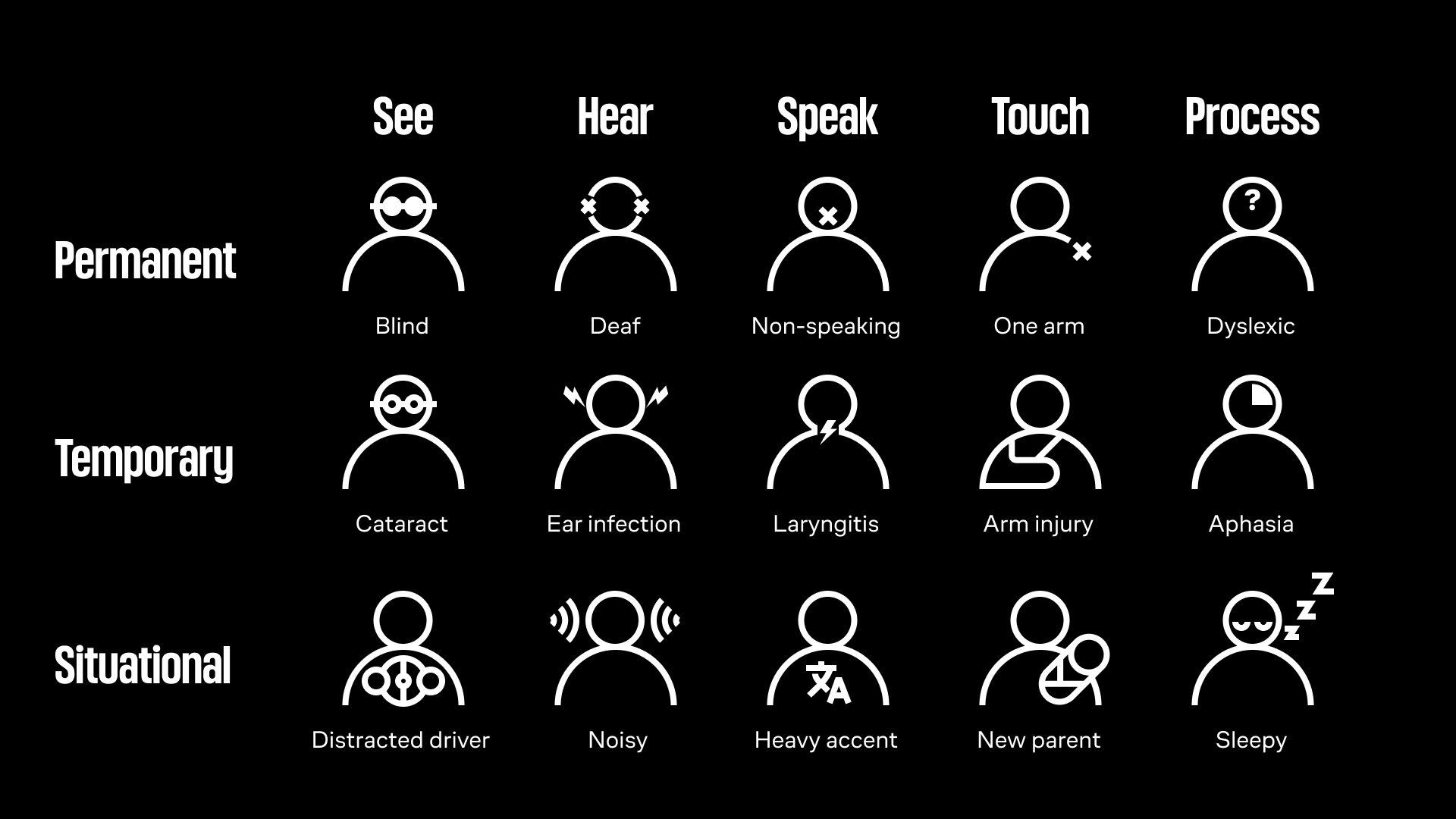
People with disabilities represent a very diverse group, including those with visual impairments (blindness, low vision, color blindness), hearing impairments (partial or total deafness), motor or mobility impairments (limited hand or arm use, difficulty with fine motor control), cognitive and learning disabilities (dyslexia, memory limitations, ADHD, intellectual disabilities), as well as speech impairments, chronic health conditions, and mental health disorders.
From the perspective of creating digital services, the most critical areas we can directly address are visual, hearing, motor, and cognitive disabilities, since product design, content, and technical implementation can either create barriers or remove them. By following accessibility standards, we ensure that people who rely on screen readers, captions, keyboard navigation, or simplified content structures can use our products effectively.
What makes an interface accessible?
1.
High contrast colors (AA or AAA)
2.
Font sizes and interface elements comply with WCAG standards
3.
Ability to resize fonts and interface elements
4.
Semantic layout
5.
Support for multiple ways to interact with the interface (Keyboard support)
6.
Alternative text for images
7.
Clear and informative error and tooltip text
8.
Compatibility with screen readers and other assistive technologies
Principles to improve accessibility
As a company whose products are used by a large audience, we are committed to improving the quality and availability of our products.
The available functionality makes the products more innovative and improves the user experience for a large number of users. This increases trust in the company's products among users and in the professional environment, which potentially improves the company's image and consequently increases its revenues. In addition to all of the above On June 28, 2025, the EU's accessibility law comes into force, compliance with which is very important for companies with international products of which we are.
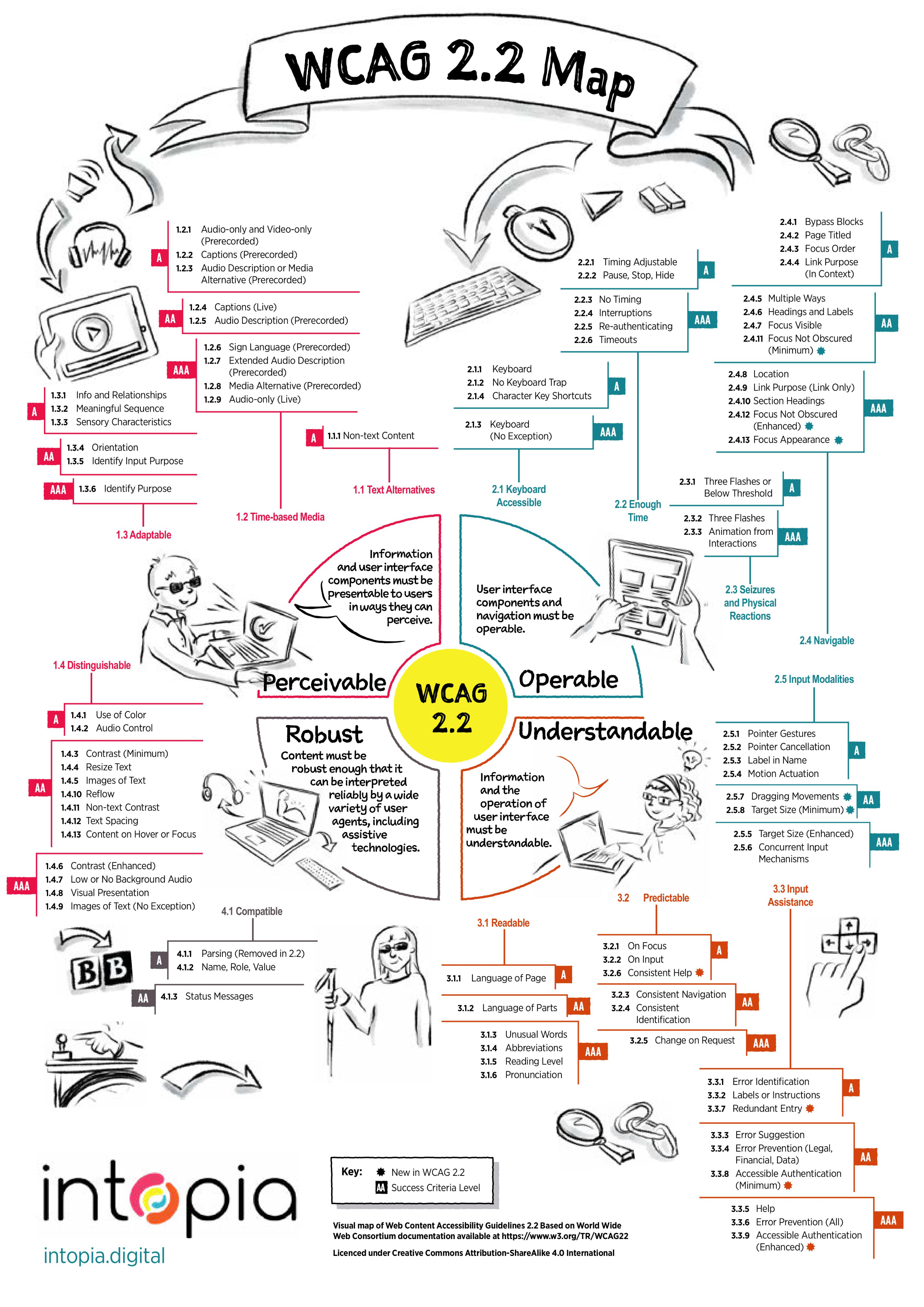
We follow the 4 principles of web accessibility on which WCAG is based:
1.
Perceptibility: The content and controls of the user interface should be presented in a user-friendly way.
2.
Manageability: The user should be able to control the interface in different ways (e.g., keyboard).
3.
Understandability: The meaning of the content and interface should be clear to the user regardless of the way they choose to interact.
4.
Resilience: The interface should remain accessible when versions, device formats or operating systems change.
Measuring the level of product availability
Level A
The level reflects the main aspects of web accessibility that affect most users with disabilities. Alternative text for pictures, subtitles for video and transcripts for audio, keyboard access to basic interface functionality, page language, animation controls, etc.
Level A is the primary, basic level from which to start implementing accessibility in Muse products. By reaching this level, we will provide the basic needs of interacting with interfaces for people with disabilities.
Level AА
The criteria for this level concern voice descriptions for video and subtitles, minimum contrast ratio of text to background and non-text content (images, icons), headings on the page, keyboard focus on elements.
Achieving accessibility at this level is the optimal goal for our products.
Level AАА
Most AAA criteria deal with people with cognitive disabilities - dyslexia, attention deficit disorder, mental retardation, and so on.
For example, there are AAA criteria about video translation into sign language, advanced contrast level, full keyboard support without exceptions, re-authentication of users without losing data from the previous session, decoding of abbreviations, texts of different levels of complexity and other things.
In the first phase of introducing accessibility into Muse products, achieving this level is not the primary goal of the strategy. On the path from AA level to AAA level, we should first focus on those criteria that are relevant to our products. Achieving the level will have a positive impact on expanding the audience of users.
Stages of implementing accessibility in products
Accessibility should be improved in parallel, both in the tasks that are in the works and in the existing interfaces of the company's products.
Existing interfaces (production)
1.
Analyzing the product screen-by-screen using accessibility testing tools (browser extensions)
2.
Making a list of screen problems
3.
Decomposition of the screen into components
4.
Compiling a list of problems with specific components
5.
Planning
Interfaces at work (design)
1.
Analyzing core libraries
2.
Compiling a list of core component library issues
3.
Analyzing component libraries
4.
Compiling a list of component library problems
5.
Planning
Work should be done in close collaboration between the product and design teams to keep the interfaces up to date.