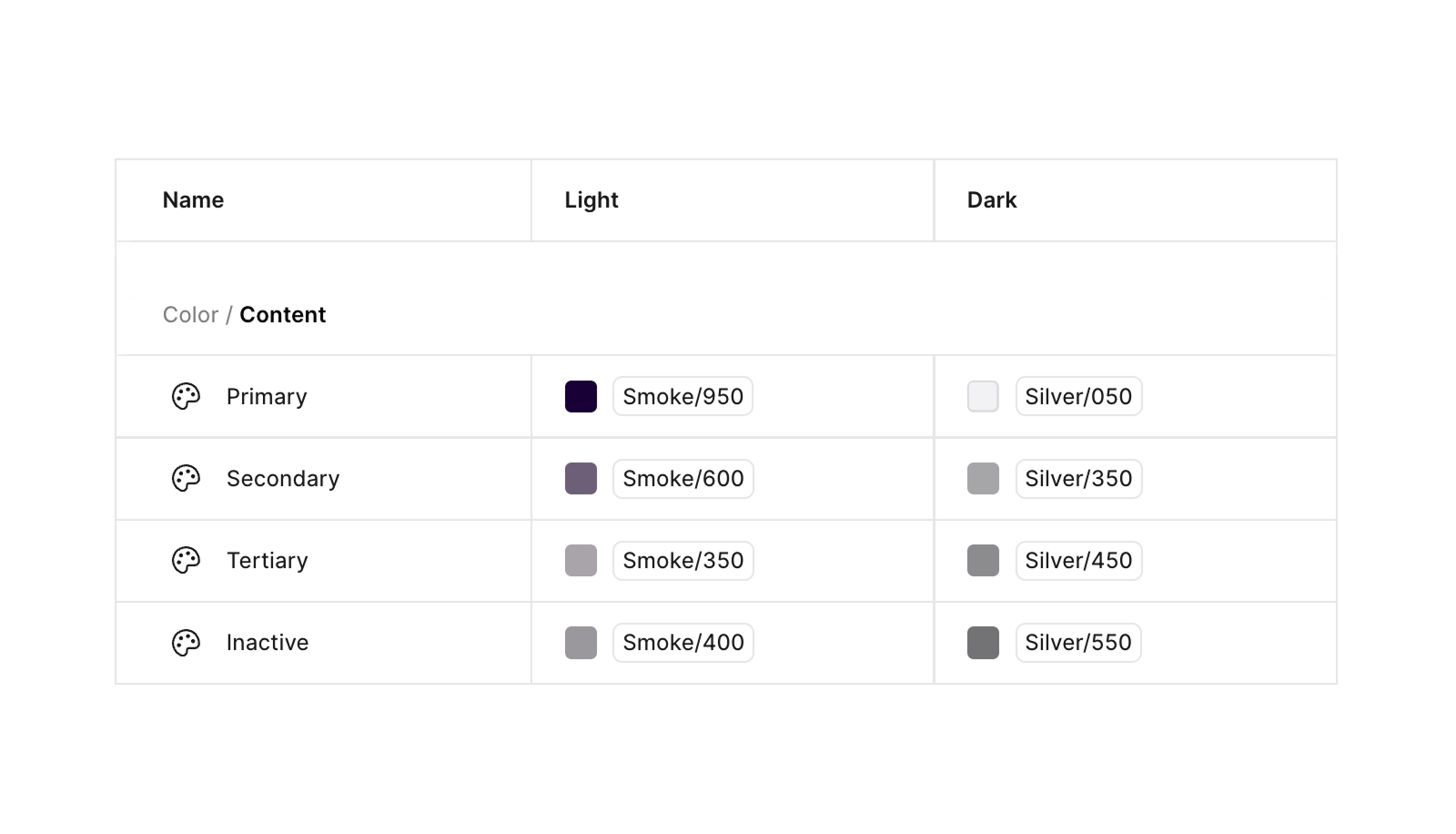

Colors
How to use
In order for a product to have a semantic token palette you need to:
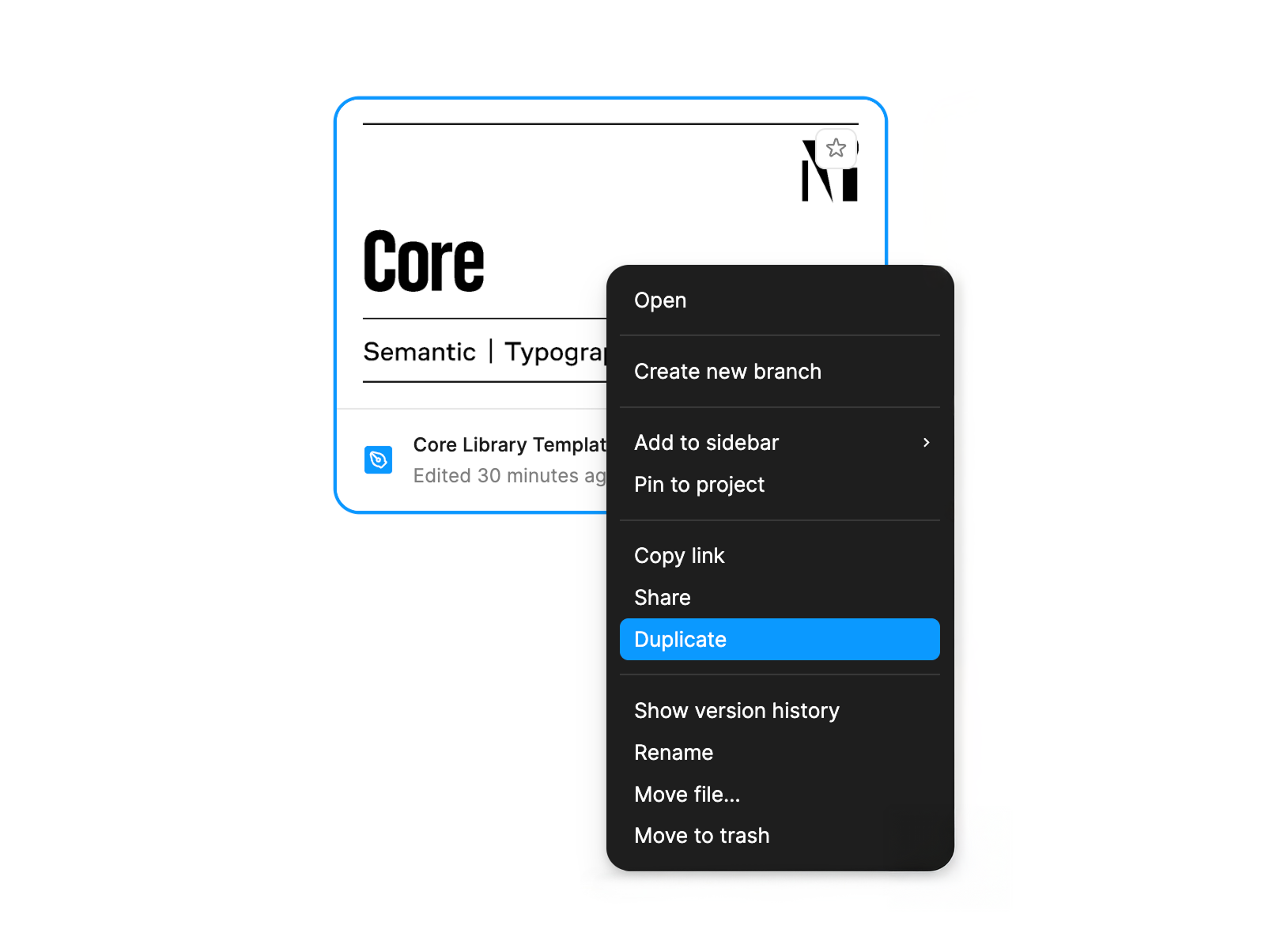
- Find the Core library template in the Templates project in Figma and duplicate it as shown in the example below:
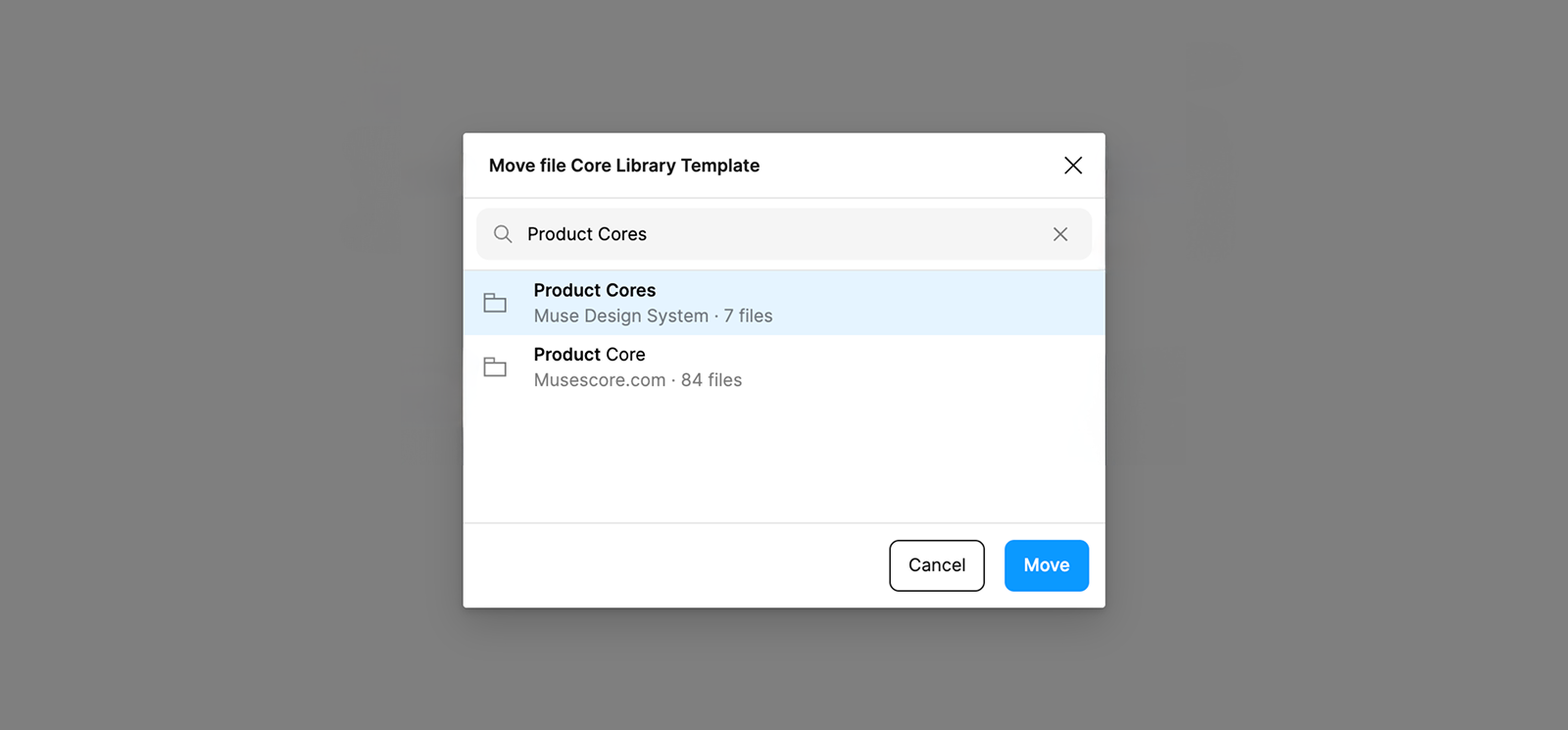
- Move the duplicated library template to the correct space.
At the moment all Core libraries of Muse products are in the project Product Cores.
3.Attach tokens that match the semantic roles. Tokens should be taken from the Muse Tokens Foundation library, which is already attached to the template.
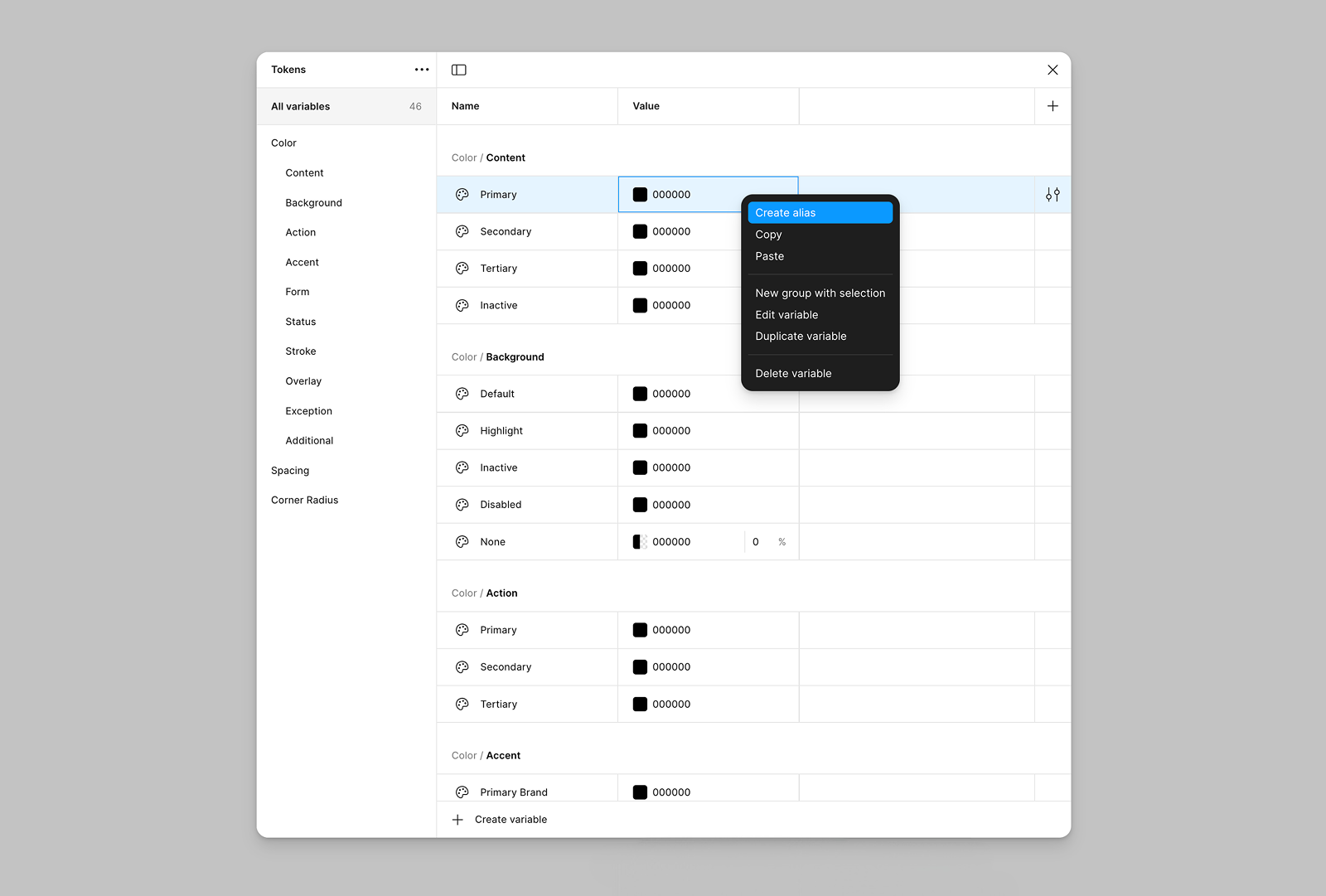
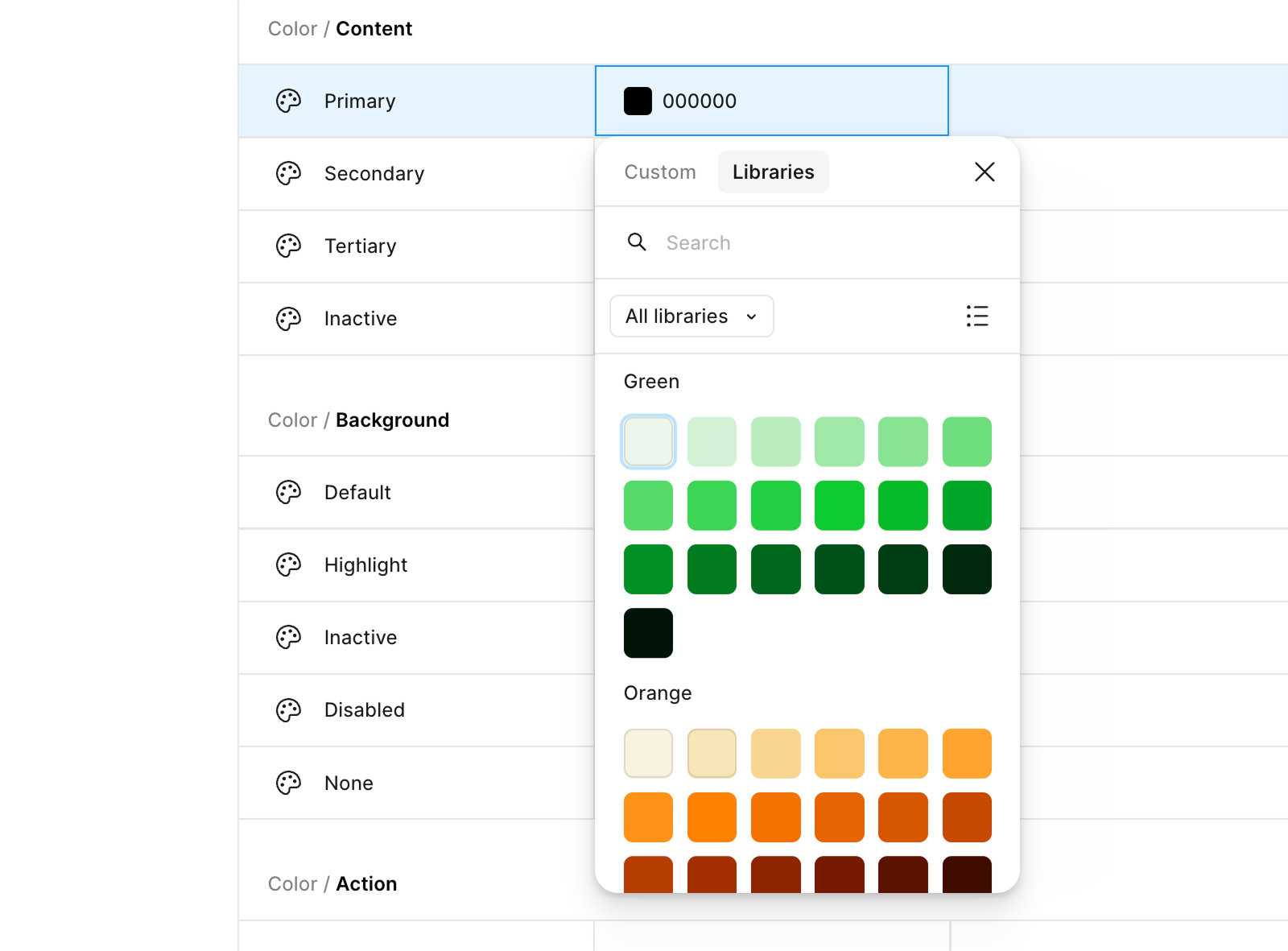
After clicking on the Create alias item, a list of color token primitives should appear, from which you can select tokens corresponding to your product.
You should end up with a table with primitive tokens attached to roles, as shown in the example below: